Run the karaoke. Or use the screen for much more.
KaraokeHost is a native Mac app for running karaoke with your own MP3/CDG, ZIP/CDG, and MP4 files, with singer management, key and tempo control, Filler Music, and an external Audience Display. Break Scenes, Sequences, automatic mixed-media Break Scene playlists, Audience Controls, Saved Shows, announcements, Countdown, and flexible visual presentation tools can keep the screen useful before, between, or even without karaoke performances.
KaraokeHost does not include karaoke songs, music downloads, streaming, cloud song access, or music licensing. You bring your own compatible karaoke files.
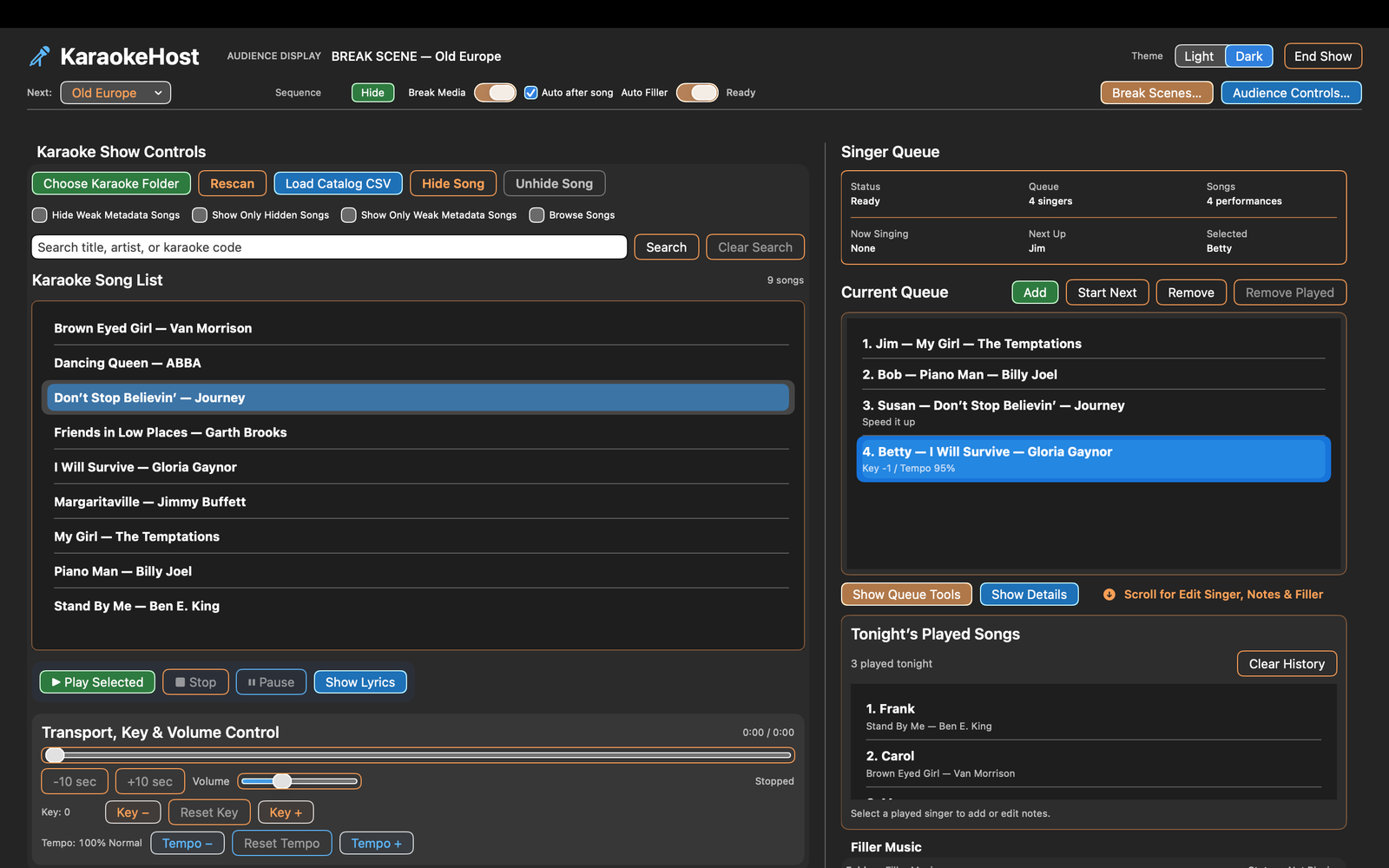
Built for karaoke — useful far beyond it.
KaraokeHost can run a traditional hosted karaoke show, a casual night with friends, or karaoke as just one part of a larger event. Its Audience Display, Break Scenes, Sequences, Break Scene playlists, Filler Music, announcements, and Countdown can also be used for parties, community events, receptions, special occasions, promotions, advertising, background entertainment, and other audience-facing presentations where karaoke may not be used at all.
Singer Queue
Manage singers, songs, performance order, singer notes, and saved song settings from the main screen.
Key & tempo controls
Adjust key and tempo for MP3/CDG, ZIP/CDG, and MP4 karaoke songs to better suit the performer.
Audience Display
Send karaoke lyrics, MP4 video, Break Scenes, Sequences, playlists, Up Next information, announcements, and Countdown to a TV or projector.
Break Scenes, Sequences & Playlists
Use photos, videos, and mixed-media Sequences individually or combine them into playlists that automatically progress through videos, still images, and Sequences on the Audience Display.
Audience Controls
Control what your audience sees with Up Next, host announcements, Countdown, Break Scenes, and other presentation tools.
Filler Music
Create Filler Music playlists, choose playback order, and control background music between singers or alongside still-image Break Scenes and Sequences.
Saved Shows
Save the state of an event and reopen it later instead of rebuilding your setup from the beginning.
Organize visual content
Use Included Scenes, My Scenes, Collections, Favorites, Show Scenes, and playlists. Add photos or videos directly to Collections and add Collections or selected Library scenes to playlists.
Your own media
Use your own photos and videos for scenery, celebrations, event information, venue promotions, sponsor messages, advertising, and more.
Bring your own karaoke files.
KaraokeHost is hosting software. It is not a karaoke music store, subscription service, streaming catalog, or cloud song library.
- Supports MP3/CDG karaoke files
- Supports ZIP files containing matching MP3/CDG files
- Supports MP4 karaoke video files
- Key and tempo adjustment are available for MP3/CDG, ZIP/CDG, and MP4 karaoke songs
- Queue entries can remember saved key and tempo settings
- Requires macOS 15.0 or later
- Works with external display setups supported by your Mac and hardware
Run the karaoke and keep the event moving.
Search your library, manage the Singer Queue, adjust key and tempo, and control Filler Music from the main KaraokeHost window.
Filler Music playlists make it easier to prepare music for an event, while live controls let you change tracks, choose Shuffle or In Order playback, fade out Filler Music, or temporarily duck the volume when you need to speak. Saved Shows let you save and reopen the state of an event instead of rebuilding it each time.

Make the Audience Display part of the event.
The external display can be much more than a place for karaoke lyrics. Use Break Scenes and Sequences before, between, or instead of karaoke performances, then combine videos, still images, and Sequences into playlists that can advance automatically during breaks, parties, events, promotions, and time between singers.
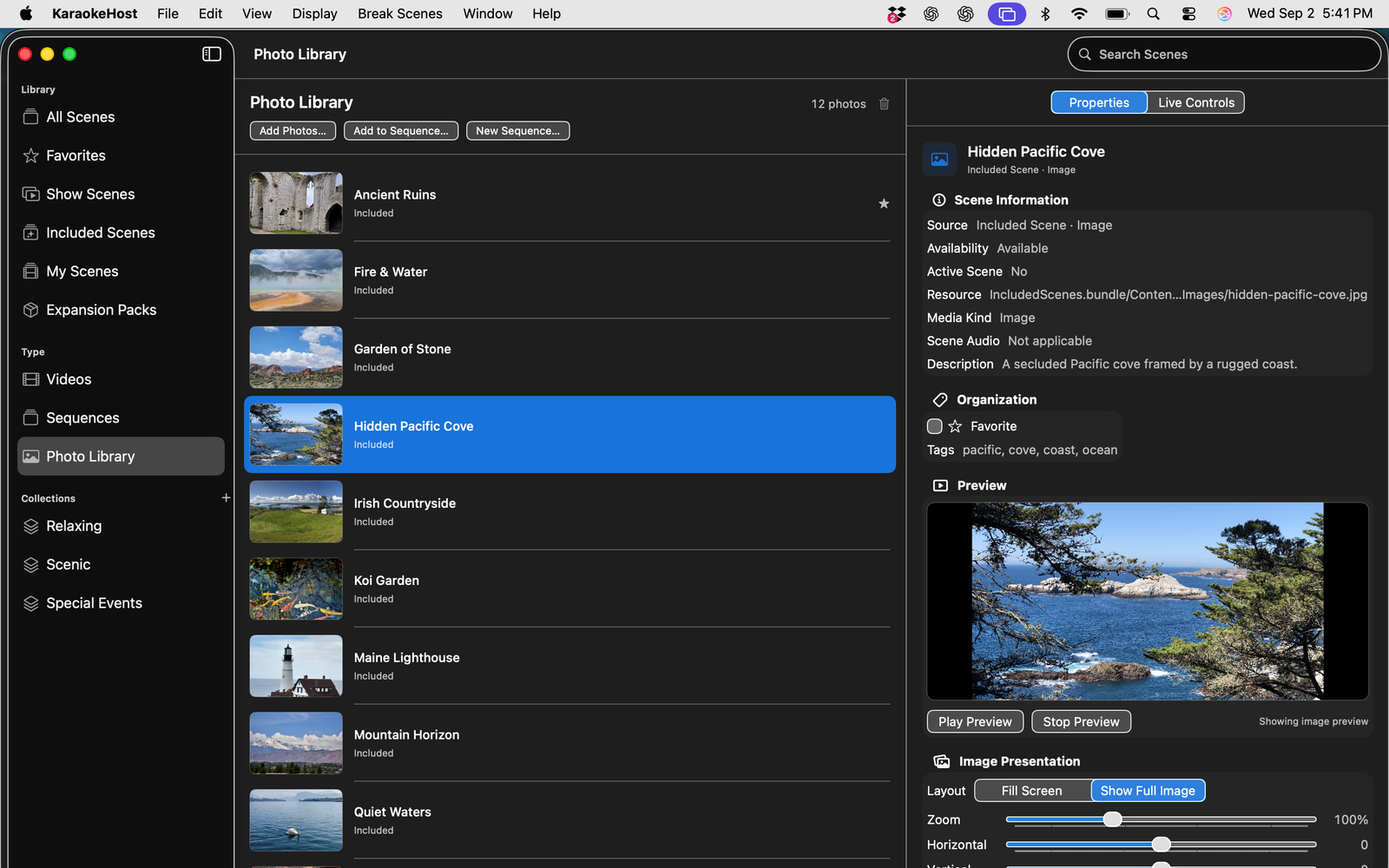
Break Scenes
Choose Included Scenes or add your own photos and videos. Organize them with Collections, Favorites, and Show Scenes for a particular event.
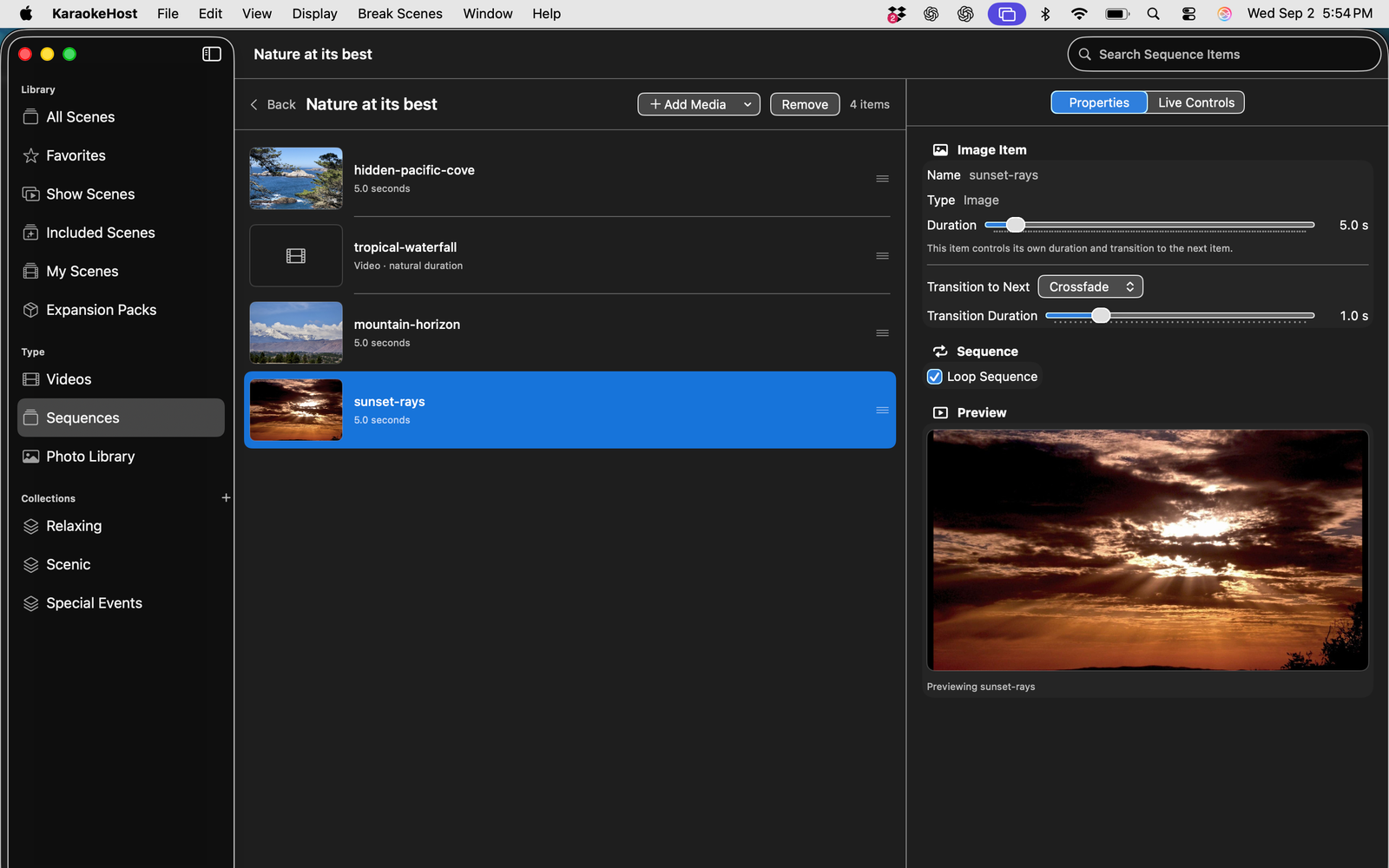
Build Sequences
Combine still images and videos into visual Sequences with image duration, transitions, and looping controls.
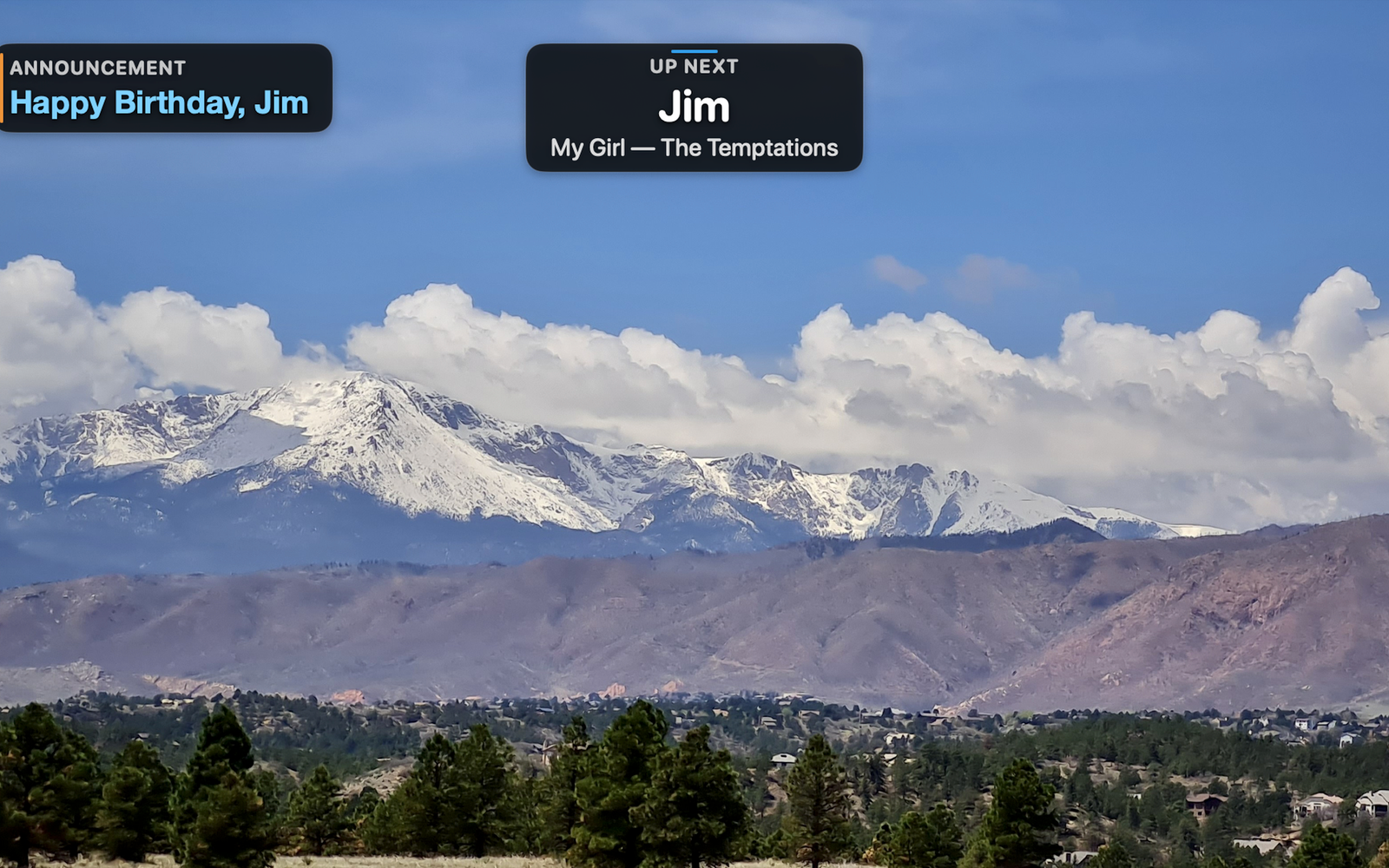
Present more than karaoke
Use your own media for event photos, scenery, celebrations, venue promotions, sponsor messages, advertising, informational displays, and other audience-facing content.
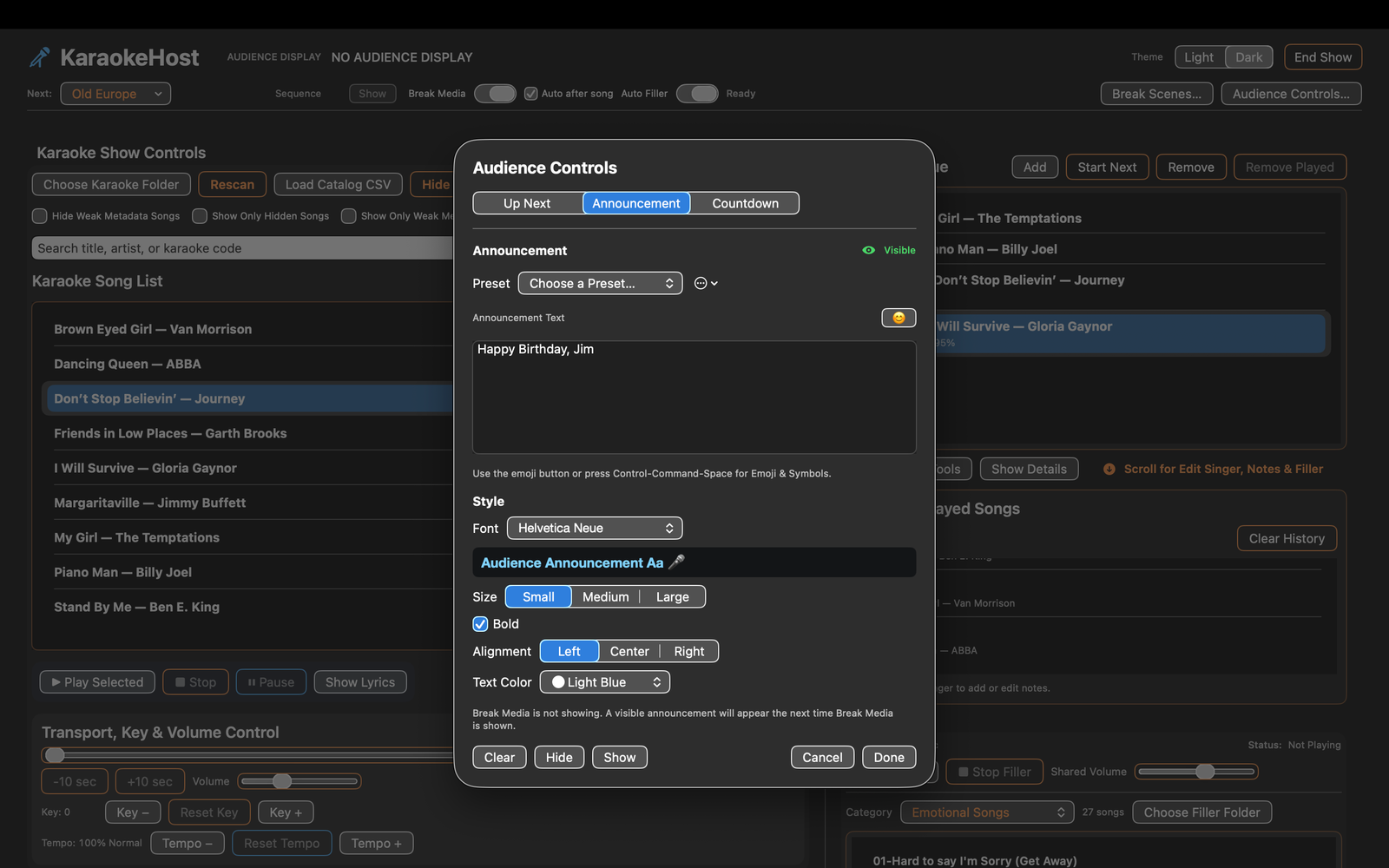
Audience Controls
Display Up Next information, host announcements, and Countdown while controlling what appears on the Audience Display.
24 Included Break Scenes to get you started.
KaraokeHost provides attractive ready-to-use material while also showing what you can create with your own media.
12 still images
Ready-to-use visual backgrounds for the Audience Display.
6 videos
Standalone video Break Scenes that can include their own embedded audio.
6 Sequences
Ready-made visual presentations that demonstrate how still images and videos can work together.
Included media is organized around Relaxing, Scenic, and Special Events starter Collections. You can also create My Scenes and organize your own material for the events you run. Included Break Scene media is optional, can be removed from local storage to reclaim space, and can be downloaded or restored later.
What's New in KaraokeHost 2.2
Version 2.2 makes Break Scene playlists easier to build, organize, and run, with integrated playlist management, automatic mixed-media playback, and faster ways to move visual content from Collections and the Break Scene Library into playlists.
- Manage Break Scene playlists directly in Break Scenes > Playlists
- Automatically advance mixed playlists containing videos, still images, and Sequences
- Set a Still Duration for still-image playlist items and choose whether a playlist loops
- Leave the final scene displayed when a non-looping playlist reaches its end
- Keep unavailable playlist entries in place and automatically skip them during playback
- Add supported photos and MP4 videos directly to Collections while also creating normal My Scenes
- Add an entire Collection directly to an existing or new Break Scene playlist
- Select scenes in Library or Type views and add them directly to an existing or new playlist
- Avoid duplicate entries when adding Collection or selected Library scenes to an existing playlist
Also available: KaraokeHost MP4 Creator for Mac
KaraokeHost MP4 Creator is a separate macOS app for creating polished MP4 karaoke videos from user-provided audio, lyrics, timing, and visual backgrounds.
MP4 Creator is designed as a companion to KaraokeHost: create MP4 karaoke videos in KaraokeHost MP4 Creator, then use them in KaraokeHost or another compatible video player.
- Create standard MP4 karaoke videos
- Import supported audio files
- Trim audio with a visual waveform
- Adjust key and tempo non-destructively
- Enter or import lyrics
- Time lyrics line by line with Intro, Break, and Outro markers
- Customize opening-screen and lyrics-screen backgrounds
- Save editable .khstudio project files
- Preview before export
- Export standard MP4 files for KaraokeHost or other compatible players
- No subscription
- No account required
- Requires macOS 14 Sonoma or later
Available on the Mac App Store.
KaraokeHost is available for macOS on the Mac App Store. The website provides product information, support details, privacy information, and a full owner's manual.